


Highlight on the new Body Target feature: Pick the body you're aiming for
A goal like "lose 3 kg" is easy to write down and hard to picture. A body target is the opposite: you pick the body you're aiming for, and BodyWHAT works out the rest.
Two ways to set one
- From your own Body Transform. Open Physique Transformer, move the slider along the "more muscle", "leaner" or "fatter" path until you reach the body you'd like, and tap Set as target.
- From any public scan. On someone else's public scan (a member, a famous physique or one of our reference bodies), tap Set as my target next to "Compare to". The numbers are scaled to your height.
What you get
The target appears in the Goals section of your profile:
- your body now with the target's outline on top: green where you'd add, hatched orange where you'd lose;
- the numbers: weight, body fat, lean mass, and an estimated time to get there;
- one tap to ask Rob for a training plan and a nutrition plan built for that target. Plans made for it carry a 🎯.
Every new scan updates the picture, so you can see the gap closing.
Two examples
A fat-loss target: the body now, the card view, and the target.
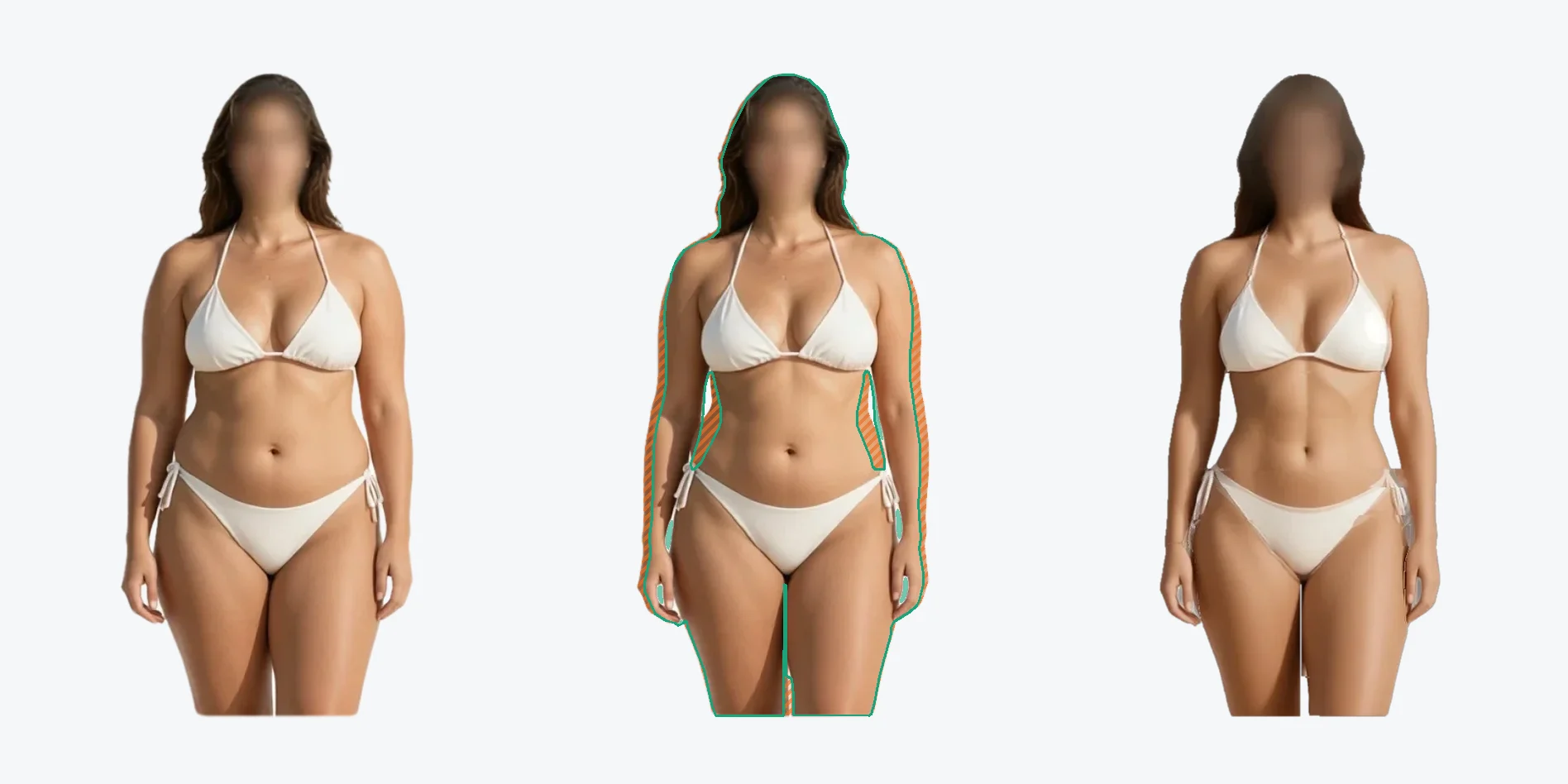
From 81.6 kg at 35% body fat to about 68 kg at 25%: around 12 kg of fat to lose while keeping almost all of the muscle, estimated at five to six months. The hatched orange zones show where it comes off.
And a muscle-gain target:
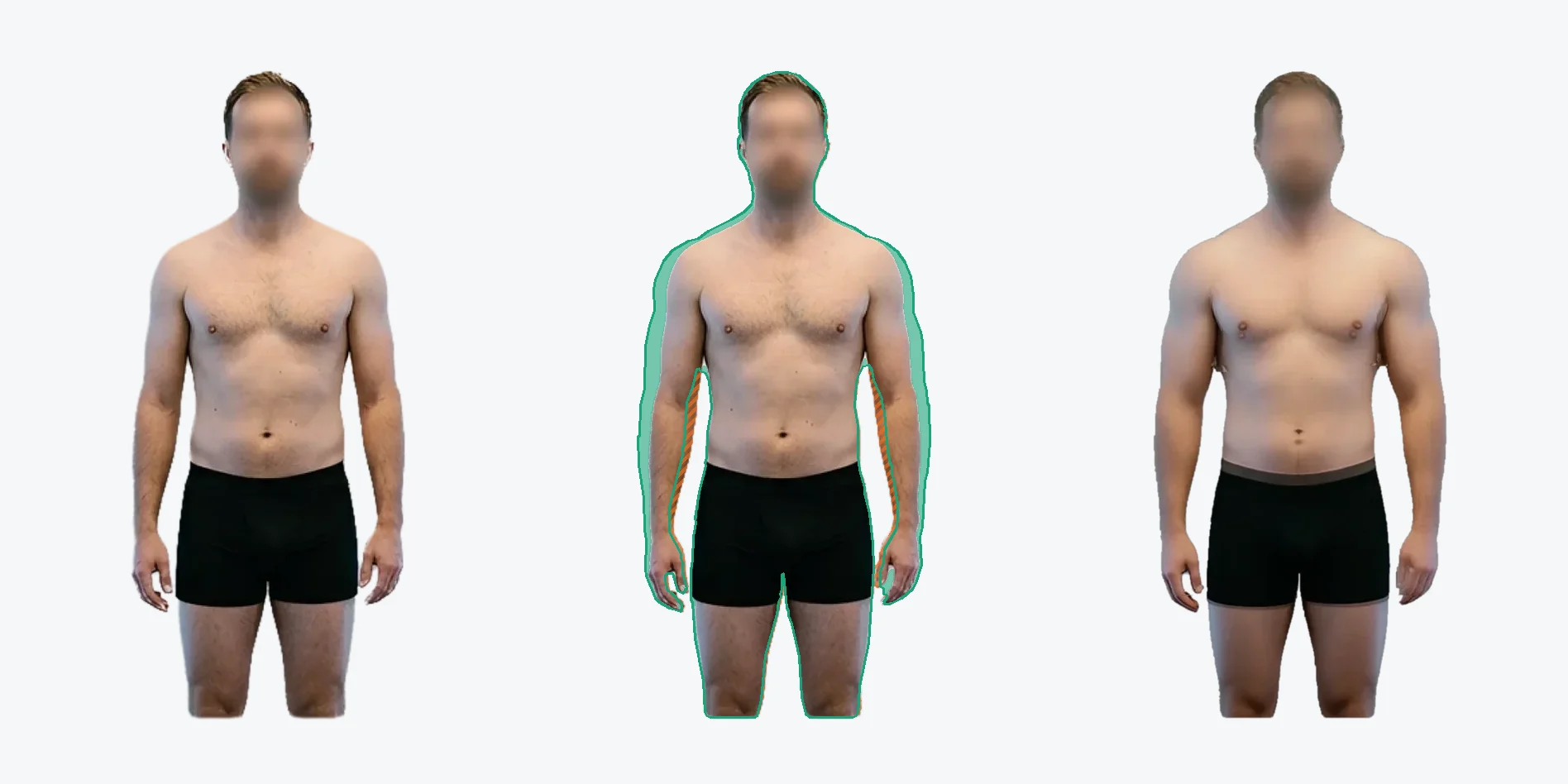
From 75 kg at 21% body fat to about 84 kg at 19%: roughly 8.5 kg of lean mass, estimated at around 14 months of consistent training. The green zones show where the muscle goes: shoulders, arms and back.
Body targets are part of Premium.